
I shipped slow apps for longer than I’d like to admit. Here’s exactly what I got wrong — and how I fixed it.
I’ve been writing Angular professionally for over six years. And for at least two of those years, I was confidently shipping apps that were quietly terrible in production.
Not broken — just slow. Laggy scroll. Sluggish dropdowns. The kind of subtle friction that makes users feel like something is wrong without being able to say what.
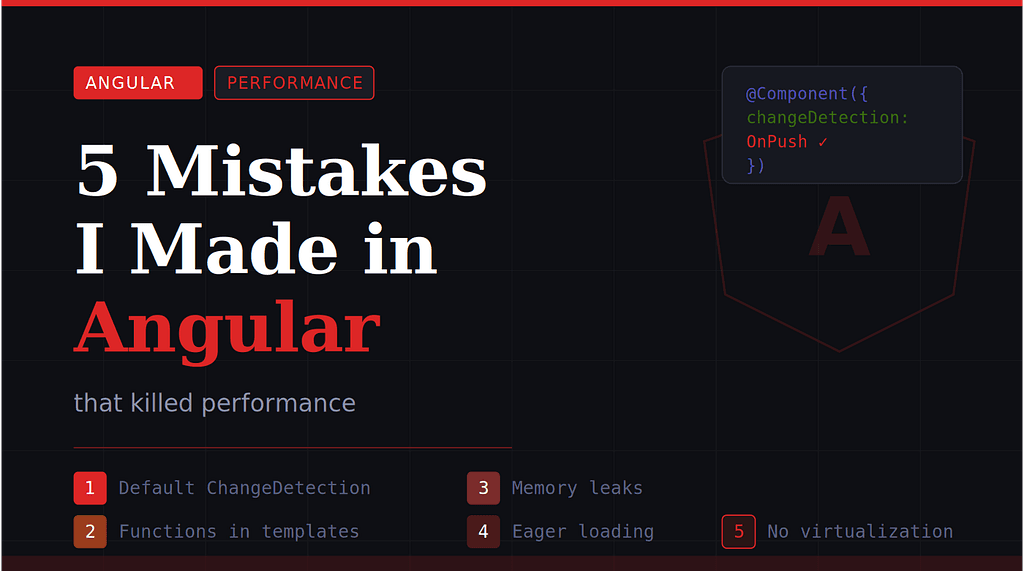
Here are the five mistakes that cost me the most. None of them are obscure. All of them were embarrassingly fixable.
Mistake #1 — Using Default Change Detection on Everything
This was my biggest sin. By default, Angular’s change detector runs on every component on every event cycle — a click, a keypress, a timer tick. In a large app with dozens of components, that means hundreds of checks happening constantly.
I had a dashboard that showed live order data. On every WebSocket update, Angular would re-check the entire component tree. The app would visibly stutter every 3 seconds.
What I was doing:
@Component({
  selector: 'app-order-list',
  templateUrl: './order-list.component.html'
  // No changeDetection strategy = Default
  // Angular checks EVERYTHING on every tick
})
export class OrderListComponent {
  orders = this.orderService.orders$;
}
The fix:
import { ChangeDetectionStrategy } from '@angular/core';
@Component({
  selector: 'app-order-list',
  templateUrl: './order-list.component.html',
  changeDetection: ChangeDetectionStrategy.OnPush
})
export class OrderListComponent {
  orders$ = this.orderService.orders$;
}
With OnPush, Angular only re-renders when an input reference changes or an observable emits. The dashboard went from jittery to smooth overnight.
Rule of thumb: Make OnPush your default. Switch to Default only when you have a specific reason.
Mistake #2 — Calling Functions Directly in Templates
This one feels innocent. You need to display a formatted price or a computed label — why not just call a method in the template?
Because that method runs on every single change detection cycle. I once had a product list with 50 items and a getDiscountLabel(product) call per row. That's 50 function calls every time the user moved a mouse.
Before — runs on every CD cycle:
<!-- In template -->
<div *ngFor="let p of products">
  {{ getDiscountLabel(p) }}   <!-- Called 50x per tick -->
</div>
After — computed once, cached:
<!-- In template -->
<div *ngFor="let p of products">
  {{ p.discountLabel }}   <!-- Pre-computed in the component -->
</div>
// In component — derive the label once when data arrives
this.products = raw.map(p => ({
  ...p,
  discountLabel: this.computeLabel(p)
}));
Alternative: Use a pure Pipe instead. Angular caches the result of pure pipes automatically — they only re-run if the input changes.
Mistake #3 — Forgetting to Unsubscribe from Observables
I was building a SPA with a sidebar that loaded user notifications on init. Every time the user navigated back to the dashboard, a new subscription fired up — but the old ones kept running in the background.
After 10 minutes of usage, there were 8 active subscriptions all updating the same view. The app became visibly unresponsive and memory usage kept climbing.
Before — memory leak:
export class SidebarComponent implements OnInit {
  ngOnInit() {
    this.notifService.stream$.subscribe(data => {
      this.notifications = data; // Stacks up on each init
    });
  }
}
After — async pipe handles cleanup:
<!-- In template — Angular manages the subscription lifecycle -->
<div *ngFor="let n of notifications$ | async">
  {{ n.message }}
</div>
// In component — just expose the stream
notifications$ = this.notifService.stream$;
The async pipe automatically unsubscribes when the component is destroyed. No cleanup logic, no leaks.
If you must subscribe manually, use takeUntilDestroyed() (Angular 16+) or a Subject + takeUntil pattern to tie the subscription to the component lifecycle.
Mistake #4 — Loading Everything Eagerly in the App Module
Early in my career, I dumped every feature module into AppModule. The admin panel, the reporting charts, the settings page — all loaded on day one for every user who opened the app.
Our initial bundle hit 4.2MB. The app took over 9 seconds to become interactive on a mid-range phone.
Before — everything up front:
@NgModule({
  imports: [
    AdminModule,       // Only 5% of users need this
    ReportsModule,     // Heavy charting library
    SettingsModule,    // Rarely visited
  ]
})
export class AppModule {}
After — lazy loaded routes:
const routes: Routes = [
  {
    path: 'admin',
    loadChildren: () =>
      import('./admin/admin.module')
        .then(m => m.AdminModule)
  },
  {
    path: 'reports',
    loadChildren: () =>
      import('./reports/reports.module')
        .then(m => m.ReportsModule)
  }
];
After lazy loading, our initial bundle dropped to 680KB. Time-to-interactive went from 9s to under 2s. No other single change made that much impact.
Mistake #5 — Rendering Large Lists Without Virtualization
I built a transaction history page that displayed every record with *ngFor. Most accounts had a few hundred rows — fine. Then one enterprise user loaded 8,000 transactions and their browser tab froze solid for 12 seconds.
The DOM had 8,000 rows all painted at once. The browser hated it. The user definitely hated it.
Before — renders all 8,000 rows:
<div class="list">
  <app-transaction
    *ngFor="let t of transactions"
    [transaction]="t"
  />
</div>
After — CDK virtual scroll (only renders visible rows):
<cdk-virtual-scroll-viewport
  itemSize="56"
  style="height: 600px"
>
  <app-transaction
    *cdkVirtualFor="let t of transactions"
    [transaction]="t"
  />
</cdk-virtual-scroll-viewport>
Angular CDK’s virtual scroll renders only the rows visible in the viewport — typically 15–20 items regardless of total list size. The 12-second freeze became a 0.3-second render.
Tip: If rows have variable heights, set itemSize to your average row height and Angular will handle the rest.
The Honest Summary
None of these were exotic bugs. They were habits — defaults I never questioned and patterns I copy-pasted without thinking.
The fixes are all small:
- OnPush over Default
- Pure pipes over template functions
- async pipe over manual subscriptions
- Lazy routes over eager imports
- CDK scroll over raw *ngFor
Small changes. Enormous impact.
If your Angular app feels sluggish and you’re not sure why, start here. There’s a very good chance one of these five is the culprit.
If this saved you some debugging time, share it with your team. And if you’ve hit a performance bug I didn’t cover here — I’d love to hear it in the comments.